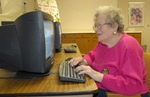
Harper Woods — Imagine the relief Marion McCarthy felt March 11 when she was able to learn via e-mail that her son in Japan was all right after the country was hit by a ferocious earthquake followed by a disastrous tsunami.
McCarthy, 83, cites that as just the latest example why senior citizens should learn how to use computers.
She learned how to use them herself back in the 1990s, and saw to it that computer instruction was offered through the Center of Lifelong Learning she started back in 1998 at St. Peter the Apostle Parish in Harper Woods.
“I try to get seniors over their ‘I’m too old to learn this’ attitude, but they can learn and they should learn, to keep up with society. And once they learn how to use a computer, it’s hard to get them away from it,” McCarthy says.
Although she no longer heads up the Center of Lifelong Learning, she remains a strong advocate of older persons keeping active in their senior years.
“We have a lot to offer,” McCarthy says. “We have wisdom we’ve gained from all kinds of sacrifices and learning experiences over the years.”
And she practices what she preaches. McCarthy continues to work part time as a standardized patient for Wayne State University’s School of Medicine. A job most people have never heard of, it involves pretending to be a patient with certain ailments so that medical students can practice their patient-interviewing skills.
When McCarthy first learned computers, she was already in her senior years, but was working on a master’s degree.
“It sure made it easier to write my master’s thesis than doing it on a typewriter,” she recalls.
Now, McCarthy continues to use her computer at home for e-mail, Internet searches and other uses.
“If you miss a favorite TV program, you can watch it the next day over the Internet,” she says.
But, like many other seniors, McCarthy stays away from popular social networking sites such as Facebook or Twitter, saying she thinks they reveal “too much information” about a person.
Madeline McClorey, 81, a member of Our Lady Queen of Peace Parish in Harper Woods, is among those who have taken computer classes at St. Peter the Apostle.
“I do a lot of e-mailing, primarily, and I use Google for looking up information. I also use PhotoSmart to keep current with pictures of my family,” she says.
McClorey says she has learned how to crop photos on the computer and to use it to make greeting cards.
Before taking the courses, McClorey had never had anything to do with computers, “but my children and grandchildren encouraged me to get into computers, and I’ve always been interested in learning new things.”
She acknowledges that learning how to use a computer while already in her 70s at the time was “sometimes very frustrating.” But she and her husband, Peter, purchased a Macintosh computer for her to use at home.
“It’s challenging for an older person, but I enjoy corresponding with my family and friends,” she says.
Peter McClorey, however, has no desire to use the computer himself.. “He had to use a computer at work, early on, back in the ’60s, and he hates them,” his wife says.
While more and more recently retired seniors have learned something about computers in their jobs, that doesn’t always mean they have learned how to do any of the things they would want to in their retirement years.
Roman Hannes, 66, also an Our Lady Queen of Peace parishioner, says he had to begin using a computer back in 2006 at his former job as a nurse, but only learned how to use one for his personal purposes when he took some courses on his own, including two of the ones offered at St. Peter the Apostle.
Now semi-retired, he uses a computer for personal e-mails and research, and in his part-time work as community liaison for Wayne County Commissioner Tim Killeen.
While some of the classes Hannes took were free, he says the courses at St. Peter were worth the small tuition fees.
“I really liked them. They give you a manual, which includes definitions of terms and how to do things. You can only absorb so much in the class sessions, so it’s helpful to have something to refer back to,” he says.
For communicating with others, there’s nothing quite like e-mail, in Hannes’ view. “You don’t have to lick a stamp and seal an envelope, and you can easily send the same message to multiple family members or to a whole group of people,” he adds.
While St. Peter’s Center of Lifelong Learning was among the early providers of computer classes for seniors, they can now be found at many other senior centers and retirement communities across the country.
To help some seniors get over their hesitancy to use these new technologies, some groups are providing training and involving young people — those most adept at the new electronics — in the process.
A nonprofit group called Older Adults Technology Services based in Brooklyn, N.Y., provides such training through one of its programs, “Hyperlinking the Generations,” which is offered at Catholic Charities-run Glenwood Senior Center in Brooklyn.
The Foundation for Senior Living, a nonprofit group in Phoenix that works with local Catholic Charities agencies, began offering Facebook workshops in the summer of 2009.
Many of the attendees at the first training session were grandparents who wanted to stay connected with their grandchildren.
Sheila Archambault of Catholic News Service contributed to this story.
Learn more: For information about computer classes at St. Peter the Apostle Parish’s Center of Lifelong Learning, call Judy Stark at (313) 886-1770.